How to stream DStv on your smart TV
Here’s how to go from “What now?” to watching in minutes.

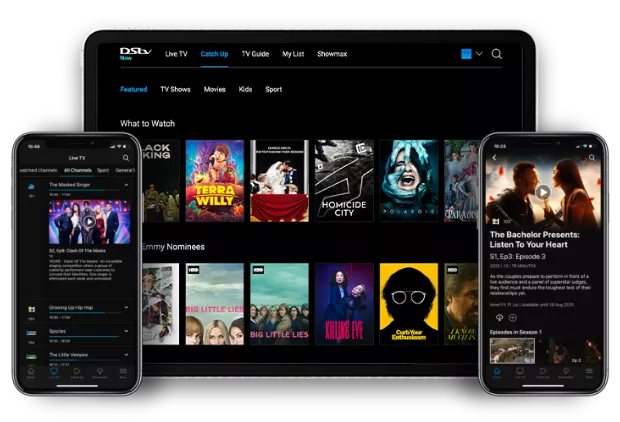
Want to watch DStv online? With DStv Stream, you can enjoy live TV, sport, movies, series and kids' entertainment on your smartphone, tablet, computer or smart TV. Whether you're at home or on the go, DStv Stream makes it easy to access the content included in your subscription.
This guide explains everything you need to know about getting started with DStv streaming, including supported devices, how to sign in and how to stream on your smart TV.
What is DStv Stream?
DStv Stream allows DStv customers to watch live channels and on-demand content on compatible devices using an internet connection. There's no need to be in front of your decoder, giving you the flexibility to watch your favourite entertainment whenever and wherever you choose.
You can stream content on:
- Smartphones
- Tablets
- Laptops and desktop computers
- Smart TVs
- Selected streaming devices and gaming consoles
Who can use DStv Stream?
DStv Stream is available to DStv customers, allowing you to watch the channels and content included in your subscription package online.
The channels and content available to you will depend on your DStv package.
How to start streaming DStv
Step 1: Sign in to your DStv account
To start streaming, you'll need your DStv account login details.
You can sign in using your existing DStv credentials through the DStv Stream app or compatible streaming platforms.
Step 2: Choose your device
DStv Stream is available across a wide range of supported devices, giving you the freedom to watch wherever it suits you best.
Step 3: Start watching
Once you've signed in, you can browse available live channels, discover on-demand content and start watching immediately.
Supported devices
You can watch DStv Stream on a variety of compatible devices, including:
- Android smartphones and tablets
- iPhone and iPad devices
- Smart TVs
- Laptops and desktop computers
- Selected streaming devices
- Selected gaming consoles
Device compatibility and operating system requirements may change over time, so always ensure you're using the latest version of the app and software.
How to stream DStv on your smart TV
Watching DStv on your smart TV is simple and only takes a few minutes.
Step 1: Download the DStv Stream app
- Open your TV's app store.
- Search for DStv Stream.
- Download and install the app.
- Launch the app when installation is complete.
Step 2: Get your linking code
When you open the app, a five-digit activation code will appear on your TV screen.
Keep this screen open while you complete the next step.
Step 3: Link your TV to your account
Using your smartphone, tablet or computer:
- Open the DStv Stream app or visit the TV activation page.
- Sign in using your DStv account details.
- Enter the five-digit code displayed on your TV.
- Wait for your TV to complete the activation process.
Step 4: Start watching
Once activation is complete, you'll have access to DStv Stream on your television.
Browse your available channels, find your favourite shows and enjoy watching on the big screen.
Troubleshooting tips
The activation code has expired
If the code expires before activation is complete, restart the DStv Stream app on your TV to generate a new code.
Streaming keeps buffering
Check your internet connection, move closer to your Wi-Fi router where possible, or restart your router to improve performance.
Can't sign in?
Make sure you're using the correct DStv account credentials and that your subscription is active.
Why stream with DStv?
- Watch live TV anywhere
- Catch up on your favourite shows
- Stream on multiple compatible devices
- Enjoy sport, movies, series and kids' entertainment on the go
- Watch on your smartphone, laptop or smart TV
Frequently asked questions
Can I watch DStv without a decoder?
Yes. DStv Stream allows eligible customers to watch content online using compatible devices and an internet connection.
Can I stream on a smart TV?
Yes. Simply download the DStv Stream app from your TV's app store, sign in and activate your device.
Do I need an internet connection to stream?
Yes. DStv Stream requires an active internet connection to watch content online.
Can I watch DStv on my phone?
Yes. DStv Stream is available on compatible Android and iOS devices.
Can I watch on more than one device?
The number of devices and simultaneous streams available depends on your DStv package and streaming entitlement.
Watch it Online
Sign up for DStv – it’s an online streaming service for all DStv subscribers. Watch the channels you watch on your decoder at home, on the Internet! Go to now.dstv.com on your laptop and Catch Up on the episodes you missed.